WeMakeItLab
Tailored training. In person or online

Claude Code
training
for companies

Programs tailored to your company, in person or online: one session for leadership, workshops by department or in mixed groups for team leads, and a technical Claude Code track for IT. With Claude Team or Enterprise setup, a data usage policy and adoption follow-up.

We reply on WhatsApp and put the proposal together: groups, schedule and plan.

TailoredFrom 1 session to a program by departmentContent, examples and groups based on your company
FormatIn person or onlineAt your office in Buenos Aires or by video call
PlanClaude Team or EnterpriseWe help you choose and set it up
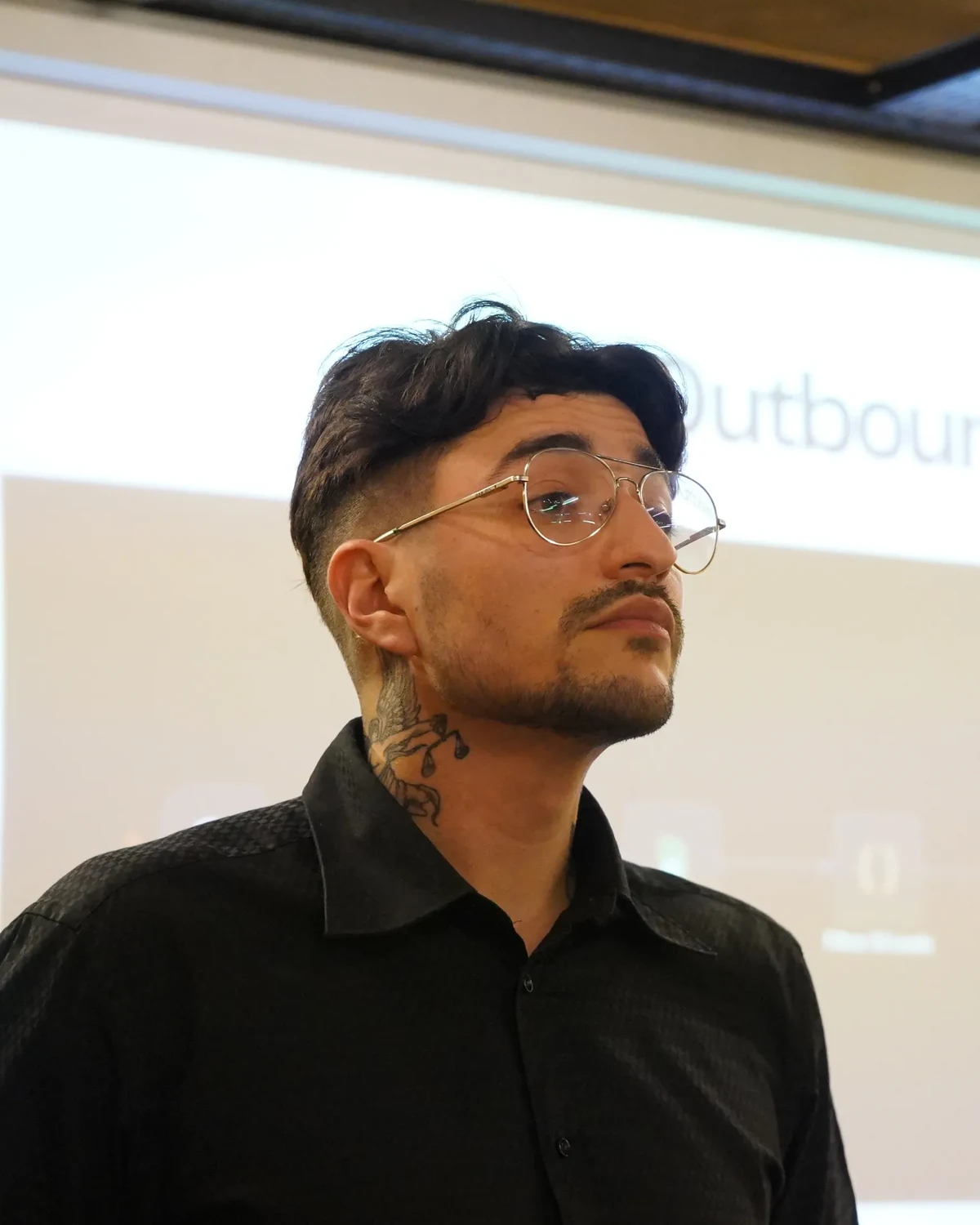
Cristian Cabrera giving an in-person talk in Buenos Aires
Cristian CabreraIn-person talk, Buenos Aires. In-person and online training.

Three tracks,
one tailored program

Leadership, non-technical teams and IT have different questions. That is why we do not give one talk for everyone: we build the program with the tracks your company needs, from a single session to several weeks, in person or online.

Leadership

Executive session

2 hours. CEO and managers. In person or online.

What they bought, what it will cost per month and how it is controlled. Data governance, the admin console and each manager's role in adoption.

  • Team vs Enterprise with your company's usage estimate
  • AI usage policy and data matrix: what goes in and what does not
  • Each manager leaves with 3 tasks to automate in their area and 1 metric at 60 days
Teams

Program by groups

Shared base session + groups of 5 to 20 people, 1.5 to 2 h each. In person or online.

For non-technical areas: Operations, Finance and Administration, HR, Sales and Marketing. Groups by department or mixed, with examples from their own tasks.

  • Prompting, Projects, Artifacts and analysis of spreadsheets and PDFs
  • Microsoft 365 or Google Workspace connectors and efficient token use
  • Each group finishes with a ready Project and a guide of tested prompts
IT and Engineering

Claude Code track

2 to 3 hours hands-on. Development, QA and support teams. In person or online.

The technical track: how to configure Claude Code so it understands the repo from the first message, and how to work as a team without breaking anything.

  • Hierarchical CLAUDE.md, rules, skills, hooks and subagents
  • MCP to internal databases and APIs, PR review agents, GitHub Actions
  • Cost per model, managed settings and permissions for secrets

Tailored

You choose the tracks, we define the groups together and build the demos with real documents and tasks from your company. There is no fixed syllabus: the pre-workshop form defines what each group practices.

In person or online

In person at your office in Buenos Aires and surroundings. Online by video call for the rest of the country and the region, with the same exercise dynamic. They can also be combined: leadership in person and groups online.

Claude Team
or Claude Enterprise

It is the first decision and the one that raises the most questions. This is what changes between them. In the leadership session we turn it into numbers with your company's usage estimate.

Claude TeamClaude Enterprise
Organization size2 to 150 usersFrom 20 seats, no cap
What the seat includesAccess and usage included, with per-session and weekly limitsAccess only. Usage is billed separately at API rates, with no weekly limit
User provisioningSSO with automatic creation on first login. Removal is manualSSO + SCIM: automatic creation and removal from your directory, with groups
Roles and permissionsPredefined rolesCustom roles per group: which features, models and connectors each area sees
Spend controlPer organization and per userPer organization, group and user, with alerts and budgets per area
Audit logs and Compliance APINoYes
Configurable data retentionNoYes, from 30 days
US-only inference, customer-managed keys (CMEK), HIPAANoYes, optional
Claude CodeIncluded in the seatIncluded in the seat, usage is pay-as-you-go
Your data used to train modelsNoNo

Enterprise is not the expensive version of Team: it is a different way of paying.

On Team the seat includes usage. On Enterprise the seat is access only and every token is billed separately, with no weekly limit. It is justified by governance and control (audit, retention, SCIM, budgets per area), not by price. If your compliance does not require any of that, Team is usually enough.

Team is enough if

  • You have 2 to 150 people and want predictable cost
  • SSO and role-based permissions cover what IT asks for
  • You do not need audit logs or custom retention

Enterprise makes sense if

  • Compliance requires audit logs, the Compliance API or defined retention
  • You want different budgets and roles per area
  • You need automatic user removal from your directory (SCIM)

How we build
the groups

One talk for the whole company does not work: leadership wants to know what it costs and how it is controlled, IT wants to configure, and everyone else wants to solve Monday's task. That is why we split them.

  • 01
    CEO and managers. 2 hours.

    Leadership, in a separate class

    Governance, usage and budgets, the manager's role in adoption. Not mixed with team leads: the questions are different.

  • 02
    All team leads together. 1 to 2 hours.

    Base session for team leads

    Tokens and context, data security in the organization, Projects and how to load context once. The common floor before splitting up.

  • 03
    5 to 20 people per group. 1.5 to 2 h.

    Groups by department or mixed

    If departments are large, one group per department with its cases. If they are small, mixed groups of 5 to 6 people with the same content and exercises on each person's real task.

  • 04
    Technical team. 2 to 3 hours.

    IT and Engineering, with Claude Code

    Its own hands-on track. It uses more than the rest and needs permissions, sandbox and repo conventions that other areas do not need.

Sample structure

For a 70-person company with 20 Enterprise users, the program looks like this: 1 leadership class of 2 hours (CEO and 4 managers), 1 general session of 1 hour for the 16 team leads and 3 mixed groups of 5 to 6 people, 1.5 h each. Total: 7.5 hours of sessions in one week, with a prior visit to align with managers.

What each
department practices

Use cases we have already worked on in workshops, and the data limit each department has to respect. Examples are built from your company's documents.

🏛️

Leadership

Summaries of long reports, comparison of vendor proposals, drafts of internal communications, reading the usage dashboard.

Limit: Decides which data each management area approves.

💻

IT and Engineering

Repo CLAUDE.md, PR review, tests, documentation, MCP to internal databases, GitHub Actions with Claude built in.

Limit: Secrets out of context, minimum permissions, usage audit.

📦

Operations, Purchasing and Logistics

Comparing PDF quotes, purchase order tracking, weekly dispatch incident summaries, procedures turned into checklists.

Limit: Contract excerpts, never the whole contract. Margins out of the shared Project.

📊

Finance and Administration

Reconciliations between spreadsheets, executive summary of the monthly report, collection email sequences, contract clause review, audit checklists.

Limit: Every figure is verified by hand and the check is recorded.

🧑‍🤝‍🧑

Human Resources

Job descriptions, CV screening with explicit criteria, interview guides, 30-day onboarding, internal communication by audience.

Limit: Personnel files and salaries do not go in. Anonymize before uploading. The final decision is always human.

📣

Sales and Marketing

Proposals from a brief, sales analysis, content and campaigns, ecommerce descriptions, customer replies with the brand guide loaded.

Limit: No customer personal data in prompts. Prices and margins out of the shared context.

What each
workshop looks like

Same structure in every group, in person or online. Half the time is practice on real tasks, because what gets practiced is what is still in use two weeks later.

01

Pre-workshop form

Before the workshop each person tells us which tools they use and brings a real repetitive task. We build the demos from that.

02

Pre-questions

We start with 3 questions they cannot answer yet. We come back to them at the end to measure what changed.

03

Demo with real files

No generic slides. We work with the company's spreadsheets, PDFs and documents, anonymized when needed.

04

Bring your task

Half the time is exercise: each participant solves their task and builds a reusable prompt. Then they review a colleague's output.

05

Explain it to someone

One person explains to another how they solved it, without looking at the screen. If they cannot explain it, they did not learn it.

06

Close with a plan

Everyone leaves with 3 tasks to automate, an owner and a 30-day review date. The department leaves with its Project ready.

Team or Enterprise
setup

Training is useless if the organization is misconfigured. We get the platform ready before the first workshop: identity, permissions, budgets and usage policy. We do it together with your IT lead.

Organization and domain

Organization creation, corporate domain capture, training opt-out and handling of the data processing addendum (DPA).

Identity

SSO with Microsoft Entra ID, Okta or Google Workspace. On Enterprise, SCIM with one group per department so removals are automatic.

Roles and budgets

Roles per group, which connectors and models each area sees, spend caps per organization, group and user, alerts before reaching the limit.

Usage policy and data matrix

A document adapted to your company: which information can be processed, what gets anonymized, what never goes in and how an output is verified.

Connectors and Projects

Google Workspace or Microsoft 365, GitHub, Slack if you use it. Shared Projects per department with initial instructions and context files.

Managed Claude Code

Centralized configuration for the technical team: permissions, rules for secrets, sandbox, audit hooks and models enabled by cost.

Internal owner

We train the IT person who administers the platform: users, usage, permissions. Then 30 days of support for operational questions.

What your team
keeps

Material you use the next day, not a PDF of slides. It varies with the tracks you contract.

  • Recording of every session
  • One shared Project per department, with instructions and context files
  • Guide of tested prompts per department
  • AI usage policy and data classification matrix
  • Leadership minutes: 3 tasks per management area and adoption metrics
  • CLAUDE.md template for the team's repos
  • Sample skill and automatic review GitHub Action
  • Team or Enterprise admin checklist for IT

20 Enterprise users

Services company, 70 people

Program design for 20 Enterprise users in 4 groups: leadership, general session and 3 mixed groups of team leads. 7.5 hours in one week, in person, with organization setup per department.

31 people, 9 groups

Pharmaceutical laboratory

2-hour workshop on AI applied to daily work, split by department. NPS 65 and 8.9 out of 10 recommendation in the follow-up survey.

.NET IT team

Software factory

Claude Code track delivered to the development team: CLAUDE.md for .NET repos, GitHub workflow, cost control and self-validation with hooks and tests.

Who
delivers it

Two complementary profiles: technical implementation and day-to-day adoption. We cover both "how it works" and "how it is really used" in your organization.

Cristian Cabrera

Cristian Cabrera

We Make It Lab. Applied AI, Claude Code and Team / Enterprise setup

Helps companies adopt AI in a practical way: sets up Claude Team and Enterprise organizations, runs the department workshops and the technical Claude Code track. Uses the tools he teaches every day in campaigns, automations and development.

LinkedIn
Mariángeles Leiva Luque

Mariángeles Leiva Luque

We Make It Lab. Communication, adoption and follow-up

Focused on making sure the tool is used after the workshop: a clear message per department, internal champions, team habits and adoption metrics reviewed at 30 and 60 days.

LinkedIn

What we always
get asked

The questions that come up on the first call with any company.

Team or Enterprise? Which one should we pick?

Team is the right fit for most companies with 2 to 150 people: the seat includes usage, cost is predictable and it has SSO. Enterprise is the right fit when compliance requires audit logs, configurable retention, SCIM or budgets per department. It is not cheaper: the seat is access only and usage is paid separately. We decide together in the leadership session with a real usage estimate.

How many people per group?

Between 5 and 20. Small groups are more dynamic: 2-hour sessions have stretched to 3 because of the number of questions. That is why we run one block per group and keep leadership and IT separate from the rest.

By department or mixed groups?

If each department has 5 or more people, one group per department with its cases. If they are small, mixed groups of 5 to 6 people: everyone sees the same content and the exercises are done on each participant's real task. The company defines the composition.

Can it be tailored?

Yes, always. You choose the tracks (leadership, groups, IT), we define the groups with you and the demos are built with real documents and tasks from your company. The pre-workshop form each participant fills in defines what gets practiced in each workshop. If the team already has a basic notion of Claude, we start from operational use.

Do we need to be technical?

No. Only the IT track is technical. Everyone else works from Claude's web interface, with everyday spreadsheets, PDFs and documents.

Do we need the licenses beforehand?

Not for the leadership session. For the group workshops, yes: each participant practices with their own user in the organization. If you do not have a plan yet, we set it up before the first session.

In person or online?

Both, with the same program and the same exercise dynamic. In person in Buenos Aires and surroundings, at your office. Online by video call for the rest of the country and the region. They can be combined: leadership in person and groups online. The company provides a screen and, if it wants, records the sessions.

What happens after the workshop?

Each department leaves with a 3-task plan and a 30-day review date. Optionally we add monthly support: a bank of online hours and a usage review with leadership.

How is it priced?

By number of groups, hours, format and whether it includes organization setup. Message us on WhatsApp with how many people and which departments, and we put the proposal together with the schedule.

Shall we bring Claude
to your company?

Message us on WhatsApp. Tell us how many people and which departments, and we propose the groups, the schedule and the plan. In person or online, tailored.